
Show immersive films to anyone.
For Apple Vision Pro, iPhone, iPad and Mac
MV Experience turns your immersive or 360° video into an experience anyone can watch on Apple Vision Pro. One file to share. A session even a first-time viewer can follow. At a show, in a store, in a museum, or at home.
Free download. Public beta on TestFlight. Coming to the App Store. Apple Vision Pro, iPhone, iPad or Mac, with visionOS, iOS, iPadOS or macOS 27 or later.
- No account
- Data Not Collected
- Device to device
- One app, four platforms
- 10 languages
Who it’s for
Who are you?
Pick your world. See what MV Experience does in it.
-

Filmmaker?
Show your film at any trade show, without the setup stress. For filmmakers -

Real estate pro?
Let buyers walk through a home before they travel. For real estate -

Museum or historic site?
Take every visitor where the public cannot go. For heritage -

Musician?
Put your fans on stage, without building an app. For musicians -

Coach or trainer?
Sell your program as one file. Like a PDF. For coaches -
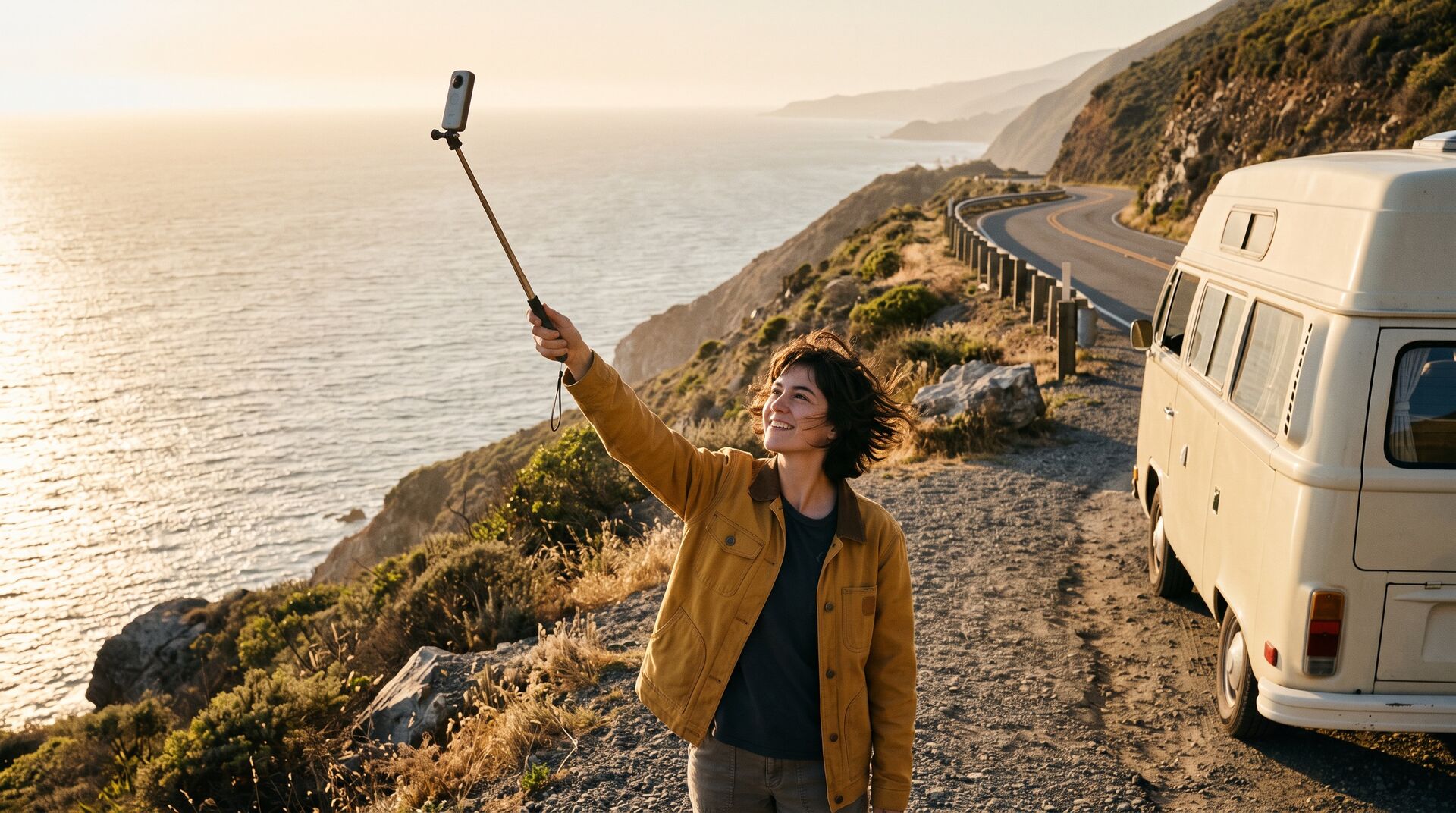
360° creator?
Send your followers a ride they can look around. For creators -
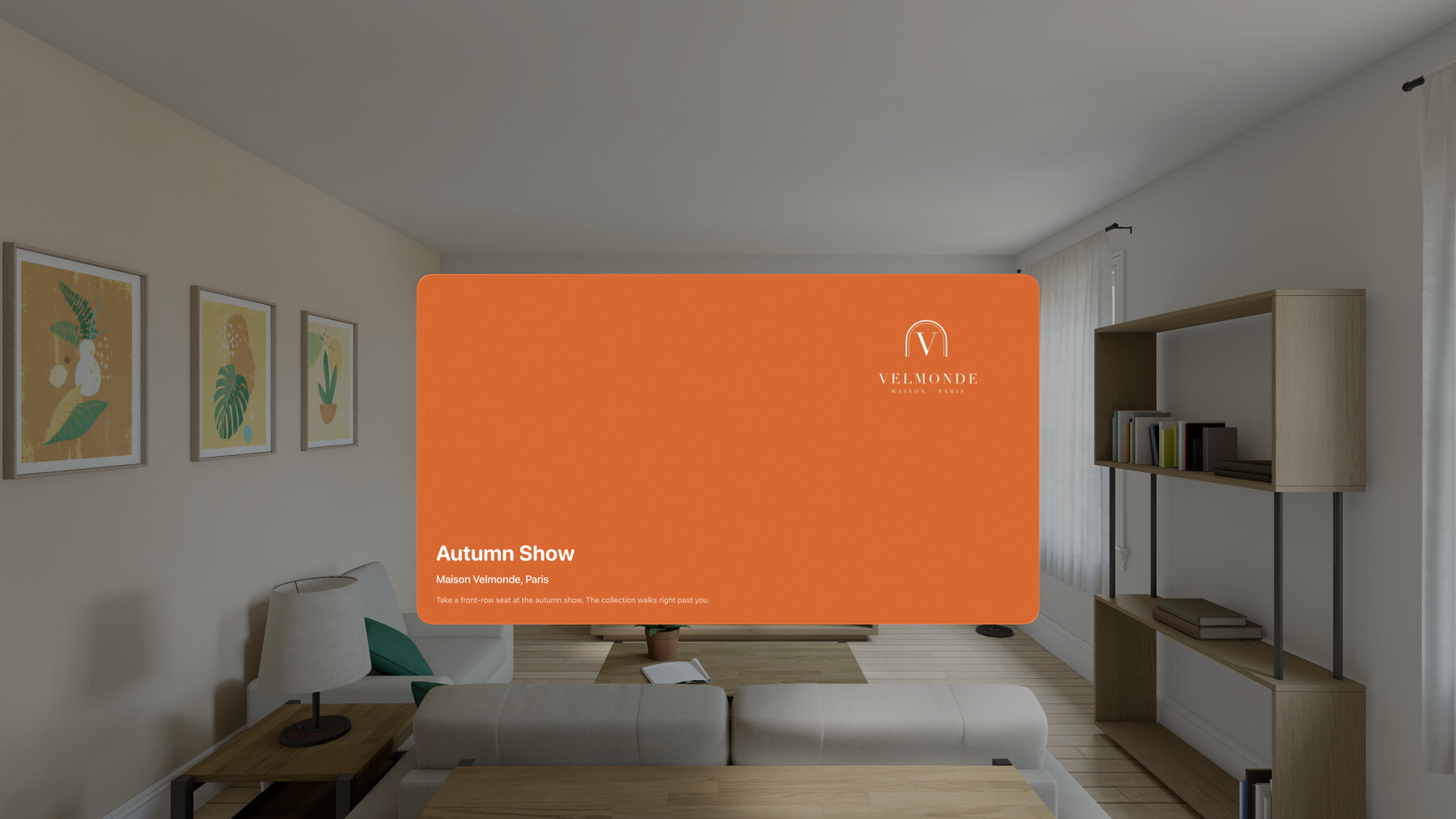
Fashion house or brand?
Give every guest a front-row seat. For brands Not on the list? If you can film it in 360°, 180° or 3D, you can show it with MV Experience.
How it works
Share. Watch. Create.
From your immersive video to an experience that is easy to watch and to share.
-
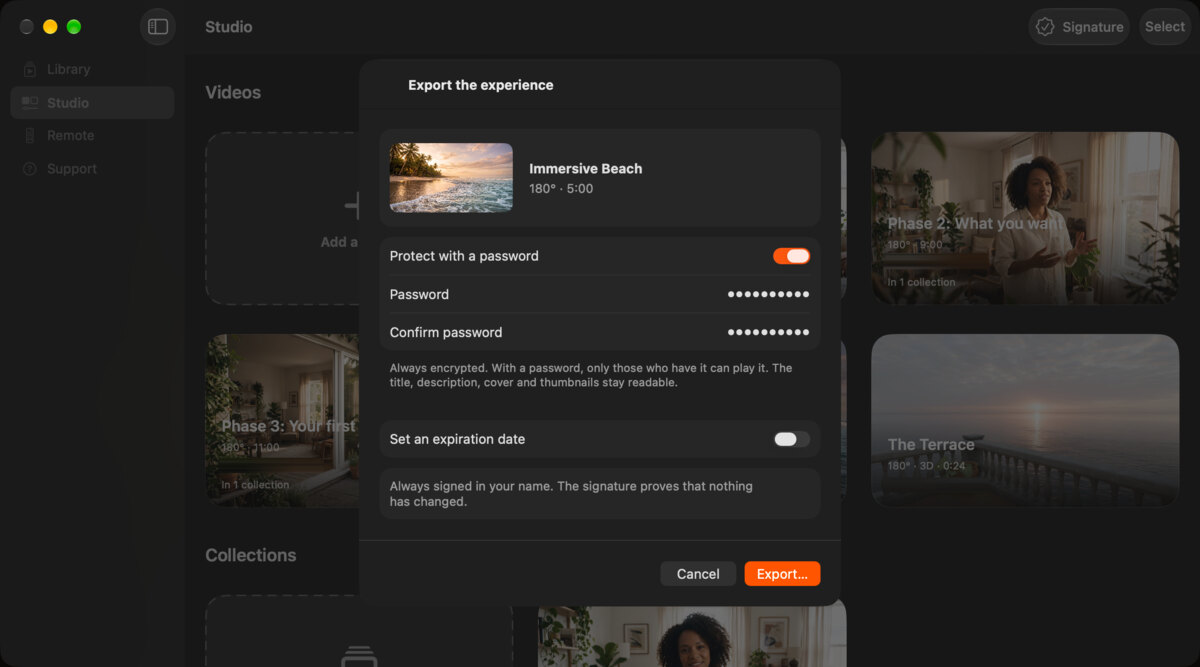
Share
One file holds the whole experience.
Always encrypted. An expiration date, if you want.
-
Always signed with your name.
With a password, only people who have it can play it.
-
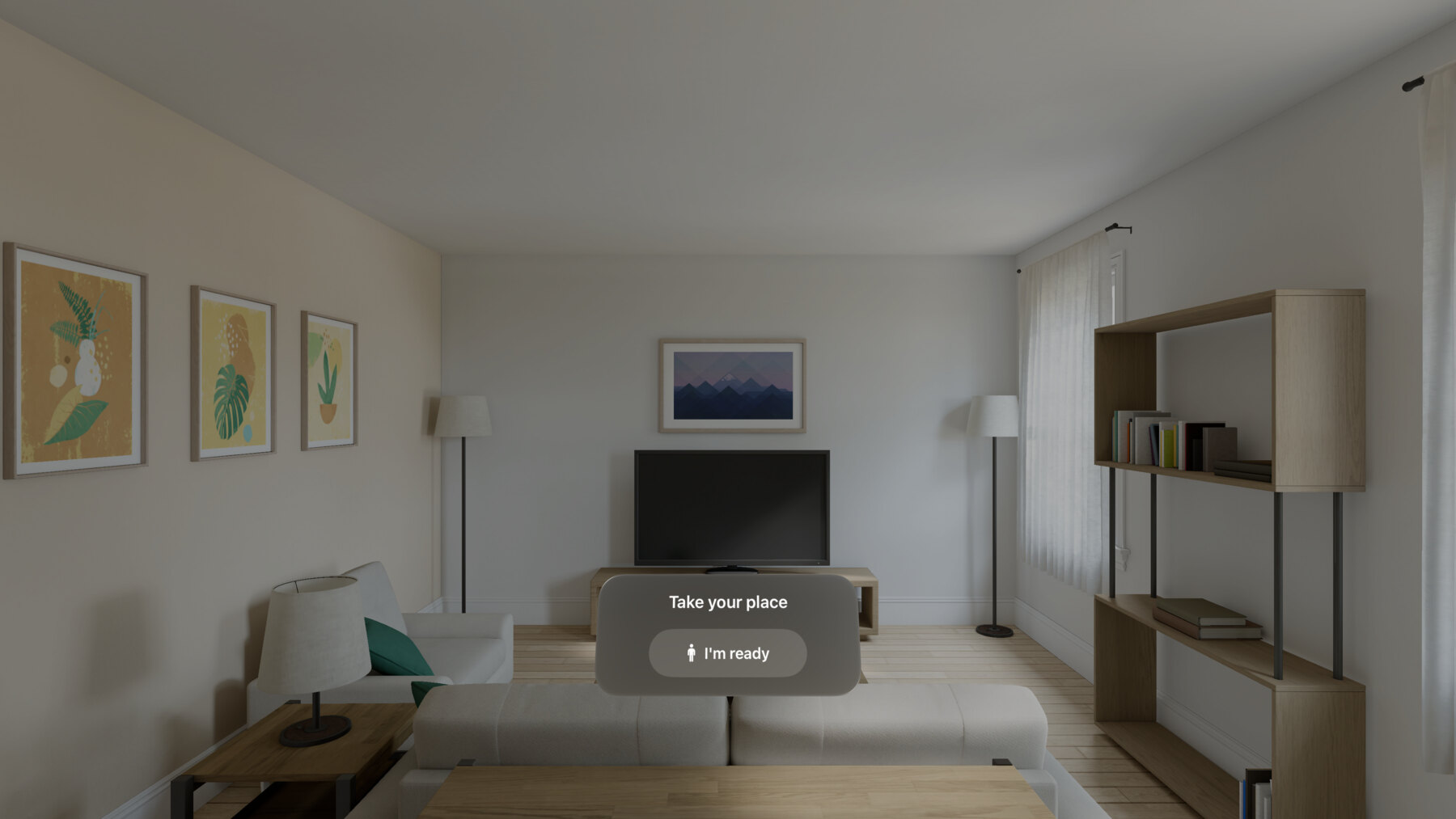
Watch
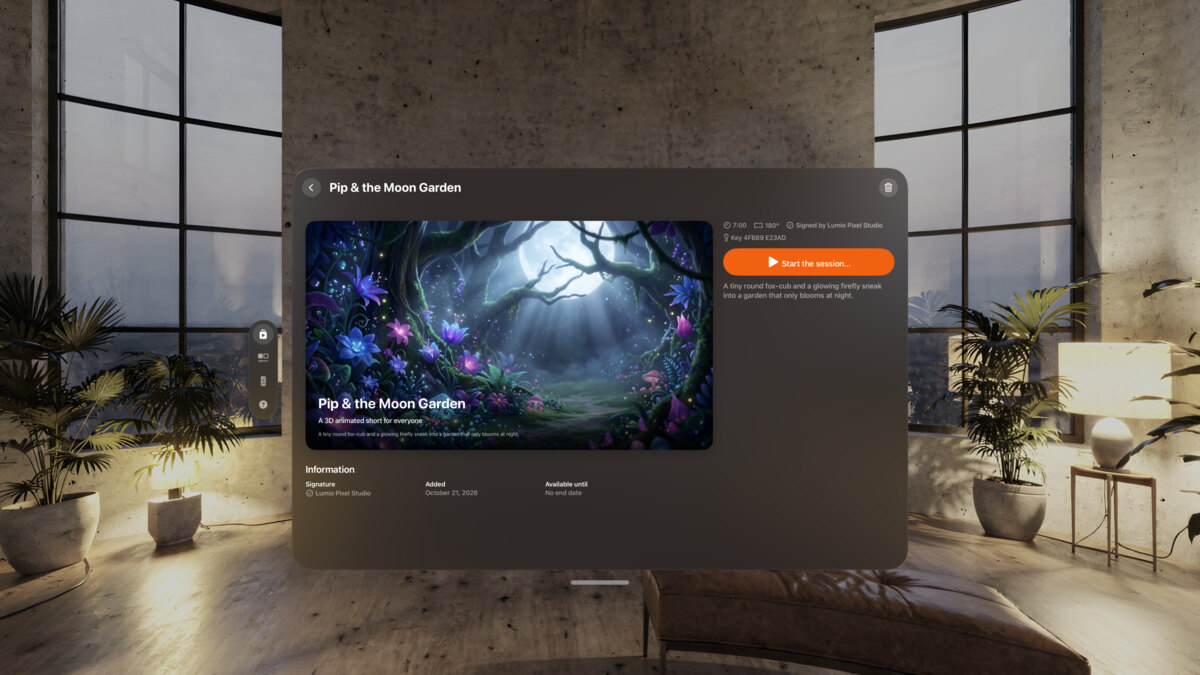
Pick an experience. Tap “Start the session”.
Hand over Apple Vision Pro. The viewer taps “I’m ready”, then picks a video with a finger.
-
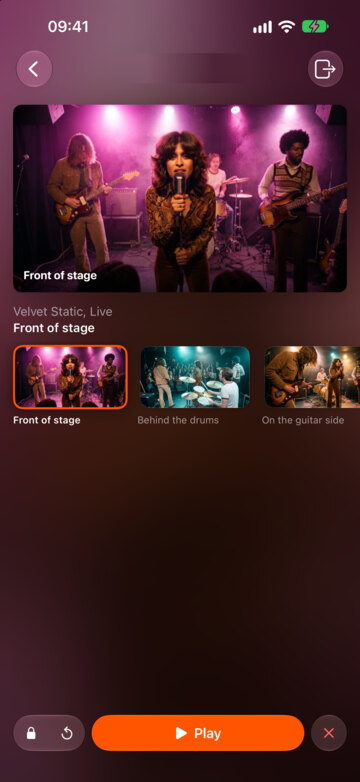
Guide it from an iPhone, iPad or Mac nearby.
Taken off for 30 seconds, the session starts over for the next viewer.
-
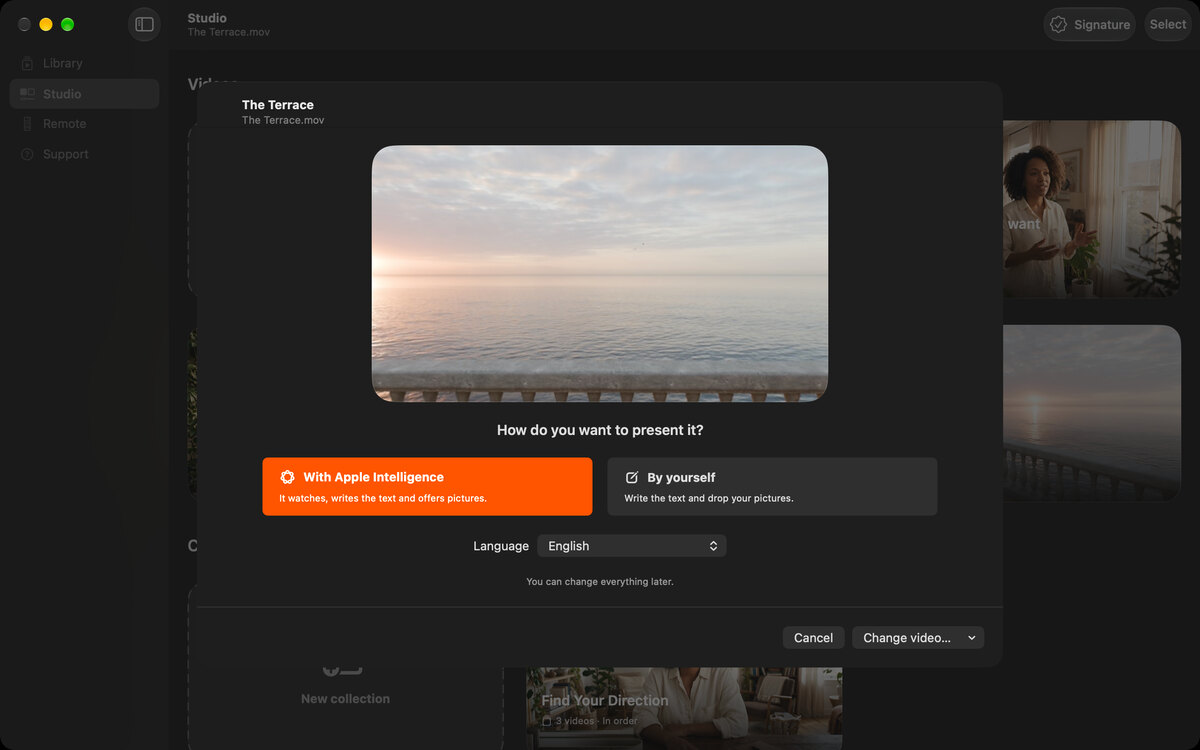
Create
Drop your video into the Studio.
Apple Intelligence writes and illustrates, on your device. Or do it yourself.
-
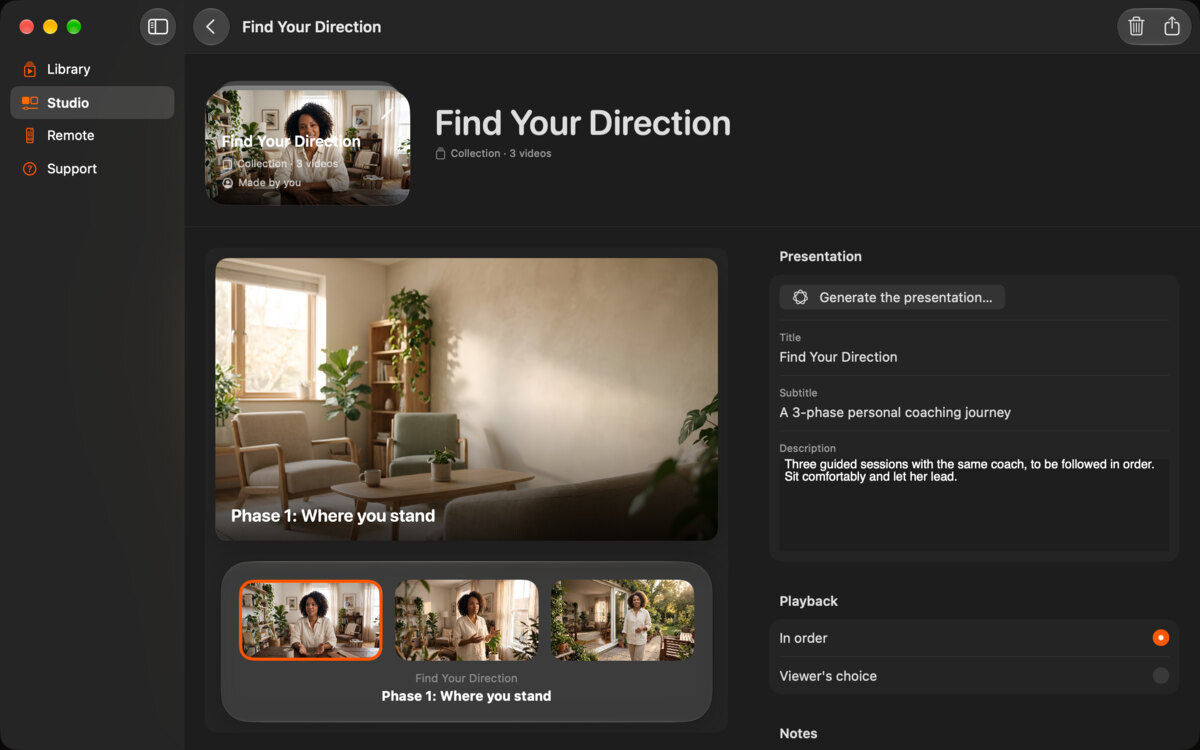
One video, or a whole collection.
Ready in minutes, already in your Library.
What the film shows
Questions appear over real MV Experience screens: Music lover? over the Velvet Static session. Filmmaker? over The Terrace. 360° vlogger? over Road Trip 360°. Fashion house? over Autumn Show (on iPhone: Real estate agent? over Maison des Pins). Coach? over Find Your Direction. Heritage lover? over Sainte-Avelaine Cathedral. A finger taps Play and The Terrace plays: live the experience. Then: MV Experience is made for you. Discover, in the Library. Create, in the Studio. Share, with the export sheet.
You shot it. Showing it is the hard part.
A stranger puts on Apple Vision Pro for the first time, in a loud hall, with a queue behind them. Here is what usually goes wrong, and what MV Experience does about it.
- The viewer does not know what to do.
- A panel asks them to take their place and tap “I’m ready”. Then the video choice appears. It is built for direct touch: they pick with a finger, within arm’s reach.
- Every visitor needs a reset.
- Take Apple Vision Pro off for 30 seconds and the session starts over for the next viewer. You do not have to start it again.
- The hall network fails.
- Experiences play from the file on the device. No streaming. The remote works device to device, nearby, with no Wi-Fi network to join.
- A visitor closes the session by mistake.
- Ask for a password to close it. Hide the player controls if you want the film to just play. Choose whether the viewer sees their hands.
- You stand outside, guessing.
- Start and run the session from your iPhone, iPad or Mac. Go back to the start, or launch another experience, without taking Apple Vision Pro back.
- Your file travels loose.
- Always encrypted and signed with your name. Add a password and an expiration date if you want. Without a password, anyone with MV Experience can play it, so set one for client work.
The booth math
No app to build. One subscription.
Florent Morin builds apps for Apple Vision Pro. For two years he has watched independent directors present immersive projects to partners, often for a show or a store. These are the typical ranges he sees. They are not quotes.
| How you present it | What it usually costs | What you get |
|---|---|---|
| A custom app | Often about half the project’s budget again | Built for one project, with everything you need in it. The right choice when you need more than showing a film. |
| A presentation tool from the market | Often around a fifth of the project’s budget | A general tool. Rarely made for a queue of first-time viewers. |
| MV Experience Premium | €199 a year, in France | Every experience you export that year. Plays in full, for free, on every device at the booth. |
An example
Take a project sold for about €8,000, a typical budget Florent sees for a show or store demo. A custom app could add around €4,000. A market tool, around €1,600. MV Experience Premium costs €199 a year, and serves every project you export that year.
Typical ranges from Florent Morin’s work with independent immersive directors in France. Your costs will differ. MV Experience Premium: price in France, VAT included.
One subscription, the whole booth
Subscribe once. Every device plays it in full.
MV Experience Premium is for the person who makes and exports experiences. What you export plays in full, for free, on every other device. Several Apple Vision Pro devices at your booth? You subscribe once.
Make the experience on your Mac, and export it.
AirDrop the file to each Apple Vision Pro at the booth.
Each one runs the free app and plays your experience in full.
Run each session from Apple Vision Pro, an iPhone, an iPad or a Mac nearby.
Your subscription follows your Apple Account on Apple Vision Pro, iPhone, iPad and Mac: one purchase for all four.
Devices and formats
Make it here. Show it there.
Every feature on every device: make, share, present and run sessions from Apple Vision Pro, iPhone, iPad or Mac. Make it on your Mac, show it on Apple Vision Pro, run it from your iPhone, or do it all on one device.
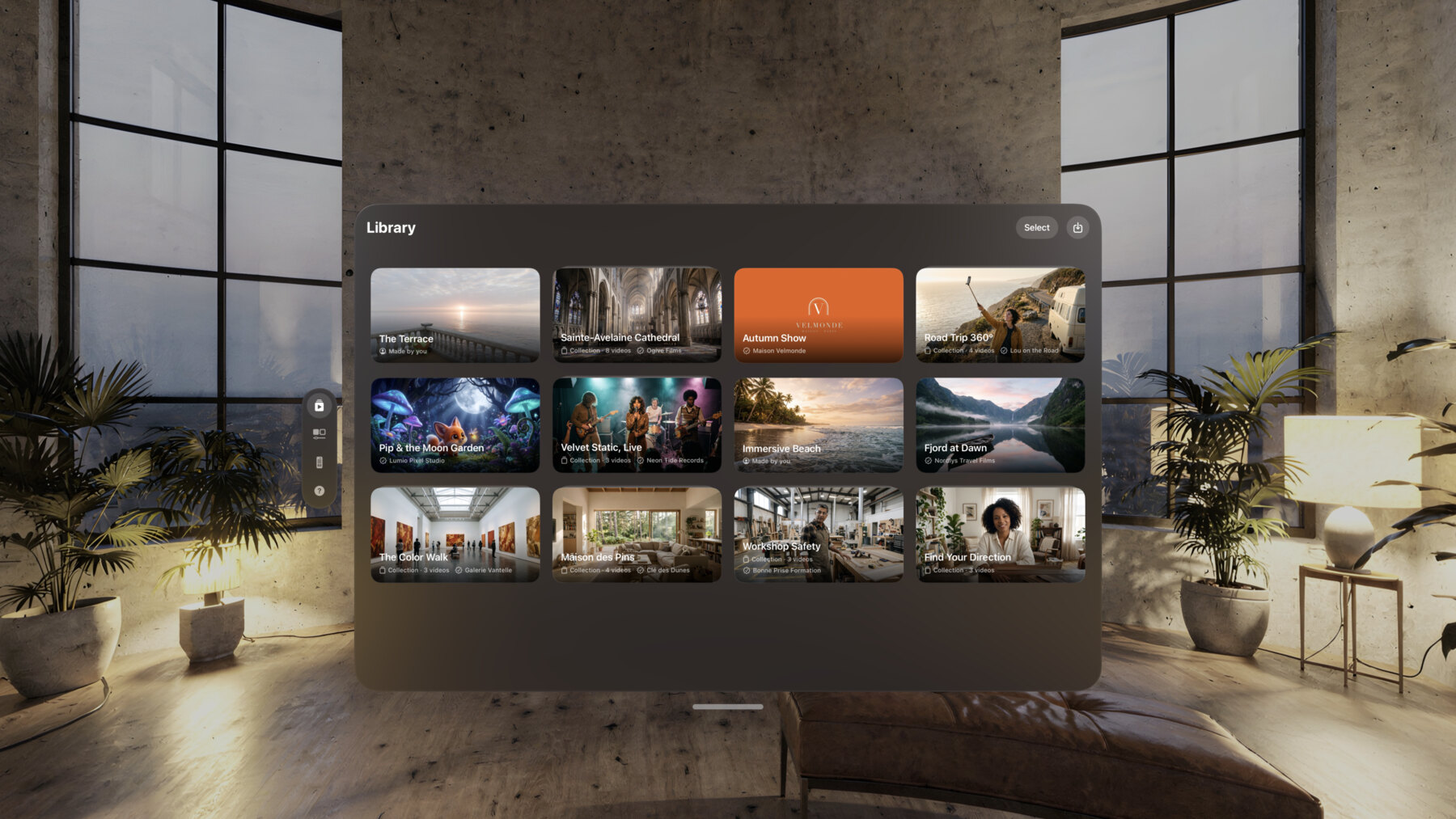
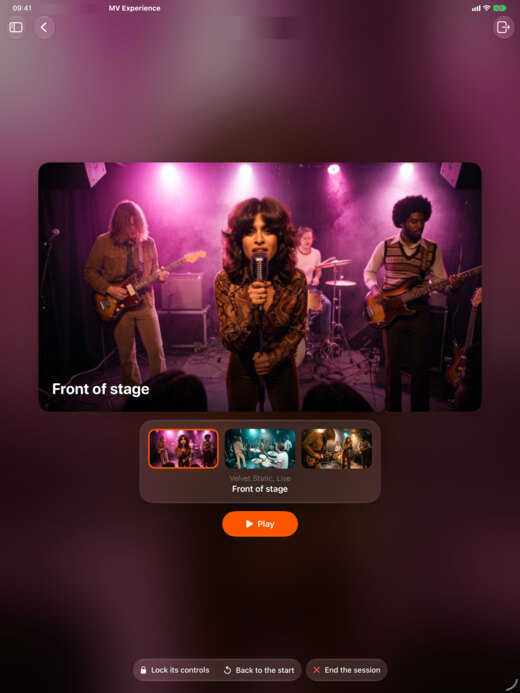
Plays what you shoot
- Apple Immersive Video (.aivu)
- Spatial and 3D video
- 180° and 360° video, MP4 or MOV, with their metadata
- Flat video
One universal purchase across Apple Vision Pro, iPhone, iPad and Mac. In 10 languages.
Privacy
No account. Nothing collected.
There is nothing to sign up for. Your experiences travel as files, from you to the people you choose. We run no server for them. Apple Intelligence works on your device. App Privacy on the App Store: Data Not Collected.
No account
There is no account and no sign-up.
Data Not Collected
MV Experience collects no data.
Device to device
Works device to device, nearby, with no Wi-Fi network to join. Wi-Fi only needs to be on. Nothing goes through the Internet.
Who makes it
Built with immersive directors.
MV Experience is made in Niort, France, by Florent Morin, an independent CTO who builds for Apple Vision Pro and a member of STUDIO·84, a spatial computing collective. He spent two years watching directors show their films, and listening to what got in the way. He also makes MV Converter and MV Player. When a project needs its own app, his studio, Morin Innovation, builds it.
Pricing
Free to watch. Premium to share.
Viewers never pay. Makers pay once a year.
Free
Free
On Apple Vision Pro, iPhone, iPad and Mac.
- Receive experiences. They always play in full.
- Make experiences in the Studio.
- Play the first minute of your own.
- Sessions on Apple Vision Pro, and the remote
- No account
MV Experience Premium
€199 a year
In France, VAT included. $199 a year in the US, before tax.
- Your own experiences play in full
- Export them as one file, signed with your name
- Password and expiration date, if you want
- What you export plays in full, free, on every other device
- One purchase for all four platforms
MV Experience Premium is a yearly subscription that renews automatically. The price for your country shows before you subscribe. Payment is charged to your Apple Account at confirmation of purchase. The subscription renews automatically unless you cancel at least 24 hours before the end of the current period. Your account is charged for the renewal within 24 hours before the end of the current period. Manage or cancel your subscription in your Apple Account settings after purchase. There is no free trial. Read the Terms of Use and the Privacy Policy.
In the beta, MV Experience Premium is a test purchase. Nothing is charged.
FAQ
Do my viewers have to pay?
No. MV Experience is free to download, and what you send always plays in full.
What does the free plan include?
MV Experience is free to download. You create and receive experiences at no cost. Received experiences always play in full; your own play their first minute. Exporting needs MV Experience Premium.
Is there a free trial or a monthly plan?
No. MV Experience Premium is a yearly subscription. Before you subscribe, the free plan lets you make your experiences and watch the first minute of each one.
Which videos can I use?
Apple Immersive Video, spatial and 3D video, 180° and 360° video in MP4 or MOV with their metadata, and flat video.
Do viewers need Apple Vision Pro?
For immersive viewing, yes: immersive films surround the viewer there. On iPhone, iPad and Mac, experiences play in a window, and you drag to look around a 180° or 360° film.
Does it need the Internet?
Not to play. An experience plays from its file. The remote works device to device, nearby, with no Wi-Fi network to join. Wi-Fi only needs to be on. Nothing goes through the Internet.
Can people copy my film?
Your videos are always encrypted. With a password, only people who have it can play them. Without one, anyone with MV Experience can. The signature shows the file is yours and that nothing changed. It is not DRM: someone who has the password can pass it on.
One subscription for a booth with several devices?
Yes. Subscribe once and export. Every other device plays your file in full with the free app.
Do I need an account?
No. There is no account and no sign-up. MV Experience collects no data.
Which languages?
English, French, German, Italian, Spanish, Brazilian Portuguese, Japanese, Korean, Simplified Chinese and Arabic.




Your film deserves a good show.
Free to download. Public beta on TestFlight. Coming to the App Store.